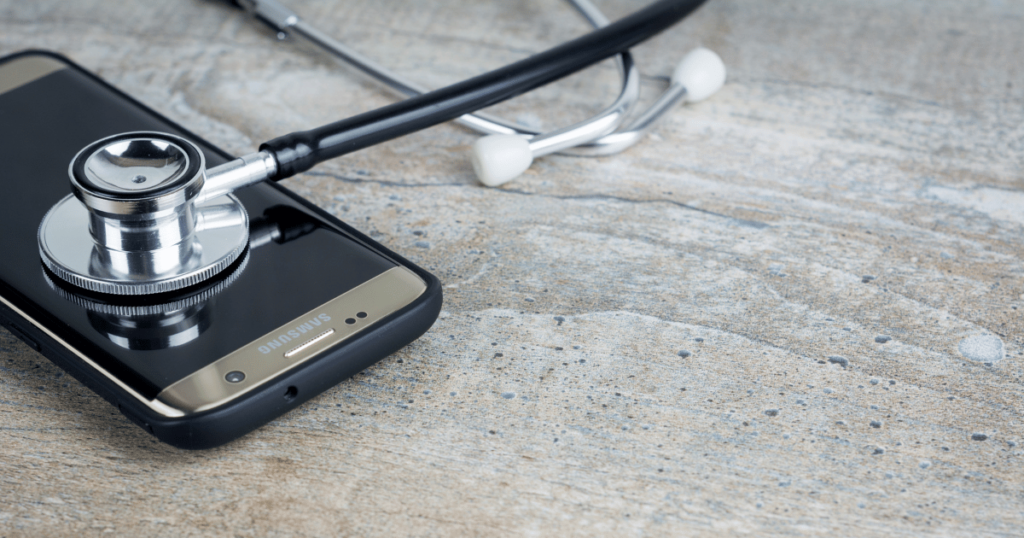
Repair centers handle a wide range of smartphone problems every day. From damaged screens and faulty charging ports to battery issues, camera problems, connectivity failures, and sensor malfunctions, technicians need reliable tools to identify problems quickly and accurately. As smartphones become more sophisticated, traditional manual testing alone can make the diagnostic process time-consuming and inconsistent.
This is where phone diagnostic software can make a significant difference. Diagnostic solutions provide repair centers with structured testing processes that help technicians evaluate multiple smartphone functions efficiently. Instead of checking every component manually, technicians can use software-based testing to identify potential issues, document results, and create a more organized repair workflow.
A solution such as Phone Clinix can help repair businesses improve the way they test smartphones before and after repairs. Reliable diagnostics can save time, reduce errors, improve communication with customers, and support better quality control.
What Is Phone Diagnostic Software?
Phone diagnostic software is designed to test different hardware and functional components of a smartphone. Depending on the solution and device, diagnostic testing can evaluate features such as the display, touchscreen, cameras, speakers, microphones, battery, charging functionality, sensors, buttons, connectivity, and other components.
Instead of relying entirely on manual inspection, technicians can follow a structured testing process. Results can then be recorded and used to determine whether a device requires repair or additional investigation.
For repair centers, this type of software can become an important part of the device intake, repair, and quality-control process.
Why Repair Centers Need Reliable Diagnostics
A repair center may receive dozens or hundreds of devices each day. Each smartphone can have different symptoms and different levels of damage.
Manual testing can become difficult when technicians need to evaluate multiple devices quickly. Important tests may be accidentally skipped, while results may be recorded inconsistently.
Reliable diagnostic software helps create a standardized testing process.
Repair centers can use diagnostics to:
- Identify potential hardware problems
- Establish a device condition baseline
- Speed up testing
- Reduce repetitive manual work
- Document diagnostic results
- Verify completed repairs
- Improve customer communication
- Support quality-control procedures
A consistent testing process can make daily repair operations more efficient.
The Role of Phone Clinix in Repair Centers
Phone Clinix provides a diagnostic solution for businesses that need to evaluate smartphones systematically. Repair centers can use diagnostic testing to assess device functionality and identify areas that may require attention.
A structured diagnostic workflow can be particularly useful when technicians need to inspect a device before beginning a repair. Testing can reveal additional problems that may not be immediately obvious from the customer’s initial complaint.
For example, a customer may bring in a phone because the screen is damaged. During a broader diagnostic test, technicians may discover that the microphone, speaker, camera, or sensors also require attention.
Identifying these issues early can help technicians communicate more clearly with customers and avoid unexpected problems later.
Pre-Repair Testing
One of the most important uses of phone diagnostic software is pre-repair testing.
Before opening or repairing a smartphone, technicians can perform a diagnostic assessment to document its current condition.
This creates a baseline for the repair.
For example, if a smartphone arrives with a broken display, the technician can test other functions before beginning work. The results can show whether the cameras, speakers, microphone, buttons, sensors, and connectivity features were functioning at the time of intake.
This information can be valuable if questions arise after the repair.
Post-Repair Testing
Testing should not necessarily stop once a repair has been completed.
Post-repair diagnostics can help technicians confirm that the repaired device is functioning properly.
Suppose a technician replaces a smartphone display. After the replacement, the technician can test the touchscreen and display to ensure that the new component is working correctly.
Similarly, after repairing a charging issue, the technician can perform appropriate charging and battery-related checks.
Post-repair testing helps create an additional quality-control step before the device is returned to the customer.
Identifying Hidden Problems
Customers often know about one obvious problem but may not be aware of other issues affecting their smartphones.
A cracked display, for example, may be the most visible problem. However, the device could also have a damaged camera, faulty speaker, weak battery, or malfunctioning sensor.
Diagnostic software can help technicians identify potential issues that may not be obvious during a quick visual inspection.
This gives repair centers an opportunity to provide customers with a more complete assessment of their devices.
Faster Testing for Busy Repair Centers
Time is an important factor in repair businesses.
Technicians need to complete accurate diagnostics without spending excessive amounts of time on repetitive testing. A slow diagnostic process can create delays, especially when a repair center has a large queue of devices.
Automated or guided testing can make the process more efficient.
Instead of manually opening different settings and applications to test individual functions, technicians can use a structured diagnostic workflow.
Faster testing can help repair centers process more devices while maintaining consistent inspection standards.
Standardizing Technician Workflows
Repair centers may have multiple technicians with different levels of experience.
Without standardized procedures, two technicians may test the same device differently. One technician may perform a comprehensive inspection, while another may focus only on the reported problem.
This can create inconsistent results.
A standardized phone diagnostic software workflow can help ensure that technicians follow similar testing procedures.
This is particularly useful for larger repair centers where management needs consistent processes across multiple employees.
Improving Customer Communication
Clear communication is essential for building trust with repair customers.
Customers may not always understand technical problems or know exactly what is wrong with their devices. Diagnostic results can help technicians explain issues in a more structured way.
For example, instead of simply telling a customer that the phone has multiple problems, the technician can explain which functions were tested and which areas require attention.
This can make repair recommendations easier to understand.
Better documentation can also reduce confusion about the condition of the device before and after repair.
Diagnostic Reports for Repair Documentation
Digital diagnostic reports can become an important part of repair documentation.
A report may include information about the device, tests performed, and their results. Depending on the diagnostic platform, businesses may be able to maintain records for future reference.
These reports can support internal quality control and help technicians review previous testing information.
For larger repair operations, maintaining organized digital records can also make it easier to manage large volumes of devices.
Supporting Quality Control
Quality control is one of the most important aspects of a professional repair center.
A device that appears repaired may still have an unresolved problem. Without final testing, technicians may not discover the issue until the customer returns.
Using phone diagnostic software as part of the quality-control process can help reduce this risk.
Repair centers can establish final testing procedures that must be completed before a device is released.
For example, a repair center may require display, touchscreen, camera, speaker, microphone, connectivity, and other relevant tests after specific types of repairs.
This creates an additional layer of protection for both the business and the customer.
Battery and Charging Diagnostics
Battery and charging problems are among the common concerns associated with smartphones.
A phone may charge slowly, fail to charge, drain quickly, or show other battery-related symptoms.
Diagnostic tools can help technicians evaluate relevant battery and charging information and determine whether additional inspection is necessary.
For repair centers, documenting battery-related results can also help technicians explain recommendations to customers.
If a battery replacement is recommended, having diagnostic information can make the explanation more straightforward.
Testing Cameras, Speakers, and Microphones
Modern smartphones rely heavily on cameras, speakers, and microphones.
These components are important for communication, photography, video recording, entertainment, and business applications.
A comprehensive diagnostic workflow can help technicians verify these functions during device testing.
Testing multiple components is particularly important after repairs involving the screen, frame, motherboard, or other internal components, where additional functionality may potentially be affected.
Testing Sensors and Connectivity
Smartphones contain numerous sensors and communication technologies.
Depending on the device, diagnostic testing may include checks related to sensors, Wi-Fi, Bluetooth, cellular functionality, or other connectivity features.
These functions may not always be obvious during a basic visual inspection.
Including them in a structured diagnostic workflow can give repair centers a broader understanding of device functionality.
Reducing Manual Data Entry
Manual data entry can introduce mistakes.
Technicians may accidentally enter the wrong device information, forget to record a test, or incorrectly document a result.
Digital diagnostics can reduce the amount of information technicians need to enter manually.
When test results are recorded automatically, businesses can create more consistent records while saving employee time.
This can be especially valuable for repair centers processing a high volume of smartphones.
Scaling Repair Operations
As a repair center grows, its diagnostic requirements also increase.
A small shop may initially handle only a few devices each day. As customer demand increases, the business may need to process significantly more devices.
A reliable diagnostic solution can support this growth by making testing more structured and efficient.
For businesses with multiple locations, centralized or cloud-enabled diagnostic workflows can also help maintain consistent testing standards across branches.
Choosing Reliable Diagnostic Software
Repair centers should carefully evaluate diagnostic solutions before selecting one.
The software should support the devices commonly handled by the business and provide the testing capabilities technicians actually need.
Important factors include:
- Device compatibility
- Test coverage
- Ease of use
- Testing speed
- Reporting capabilities
- Automation
- Scalability
- Data management
- Security
- Technical support
The best solution should fit naturally into the repair center’s existing workflow rather than creating unnecessary complexity.
Combining Software Testing With Physical Inspection
Diagnostic software is a powerful tool, but it should complement—not replace—professional inspection.
Technicians still need to examine physical damage, cracks, dents, liquid indicators, charging ports, camera lenses, buttons, and other external components.
Combining software-based testing with physical inspection provides a more complete device assessment.
This approach allows diagnostic software to handle repeatable functional tests while technicians focus on physical and technical issues that require professional judgment.
The Future of Smartphone Repair Diagnostics
The smartphone repair industry continues to evolve as devices become more advanced and repair businesses handle increasingly large inventories.
Diagnostic technology is likely to become even more important as businesses seek faster, more accurate, and more standardized testing methods.
Automation, cloud-based reporting, centralized device records, and advanced analytics can help repair centers improve their operations.
Businesses that adopt reliable diagnostic workflows can be better positioned to manage growing device volumes while maintaining service quality.
Conclusion
Reliable diagnostics are essential for modern repair centers. Technicians need accurate information to understand device condition, identify problems, verify repairs, and maintain consistent quality standards.
Phone diagnostic software provides repair businesses with a structured way to test smartphones, reduce manual work, document results, and improve the overall repair process.
With solutions such as Phone Clinix, repair centers can build more organized diagnostic workflows and make testing an important part of their daily operations. From pre-repair inspections to post-repair quality checks, reliable diagnostics can help businesses save time, improve transparency, and deliver better customer experiences.
As smartphone repair demand continues to grow, investing in dependable diagnostic technology can give repair centers the tools they need to operate efficiently while maintaining high standards of accuracy and service.