Laptops are a must have for work, education, communication and entertainment. If your laptop is slow, overheats, shuts down suddenly, or has other problems, you don’t have to replace it right away.
Laptop repair can be done in time to handle specific hardware and software issues before they escalate into bigger issues. With the right diagnosis and care, a device can last longer than expected. This means you might not need to replace it as soon.
Why Should You Repair a Laptop Instead of Replacing It?
Even when all the other components of a Laptop are fine, the laptop may have its own issues. A worn battery doesn’t mean the processor, display, keyboard, or storage drive is faulty.
Fixing or replacing the damaged part could restore its function. This means you might not need to buy a whole new device.
But repair is not always viable, depending on the age, condition, repair cost, specifications and availability of replacement parts of the laptop.
1. Repair Can Prevent Small Problems From Getting Worse
Some laptop issues may escalate into more serious issues if they aren’t addressed in a timely fashion.
In fact, it may be noticed as an abnormally loud fan or the system getting hot while operating normally. Overheating may lead to a loss of performance and an increase in stress of the internal components if left unchecked.
If necessary, cleaning the cooling system, enhancing the airflow and/or fixing the fan could make the laptop more reliable.
2. Battery Replacement Can Restore Everyday Usability
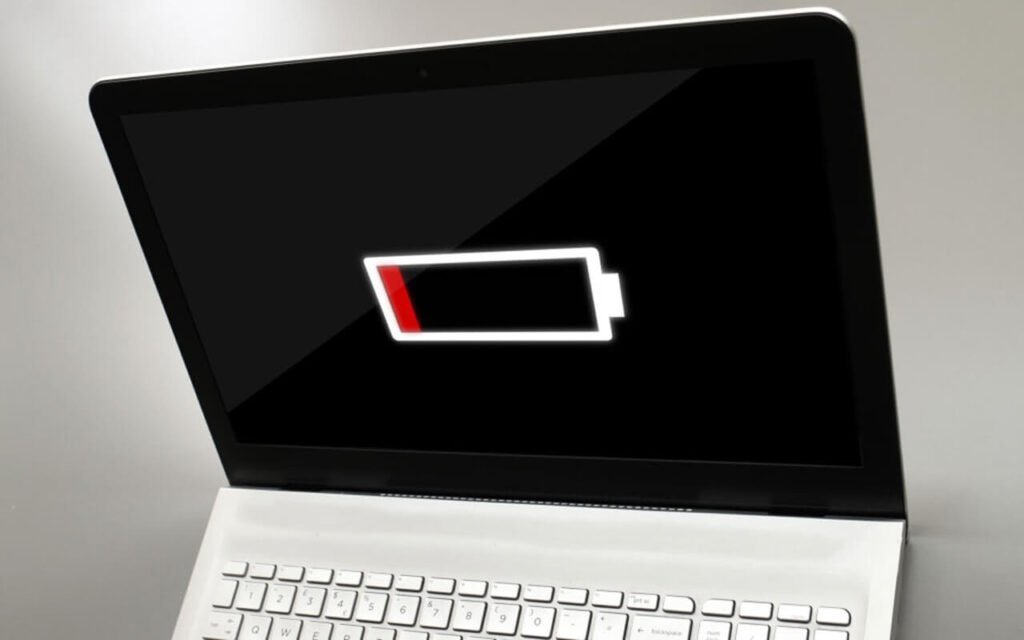
As is the case with any laptop battery, these lose capacity over time. After many hours a device might have to be charged more often or turn off suddenly.
You can replace a worn-out battery with a compatible one. This allows for better use without needing to connect to an electrical grid.
Users should use replacement parts that fit their equipment. These parts must follow the manufacturer’s recommendations, especially for lithium-ion batteries.
3. Overheating Problems Should Not Be Ignored
one of the common problems with old laptops is heat.
Higher temperatures can happen due to:
-
Dust buildup
-
Restricted airflow
-
Heavy workloads
-
A broken cooling unit
When the fans are loud, the system often slows down. It might even shut down or overheat. This means there’s a problem with the cooling system, and it’s time for a fix.
A professional diagnosis can help decide whether to clean, replace the fan, or find another solution.
4. Storage and Performance Issues Can Be Addressed
A laptop may run slowly for several reasons:
-
Limited storage
-
An aging storage drive
-
Too many background programs
-
Other system issues
You can upgrade the laptop’s storage or memory. This improves speed and gives you more space.
The user should check compatibility. They must also back up important files before making hardware changes. Not all of the laptop upgrades will be compatible with all laptops.
5. Screen and Keyboard Repairs Can Keep a Working Laptop Useful
The laptop doesn’t have to be completely unusable if it sustains physical damage.
You can often repair or replace a damaged display, charging port, keyboard, or touchpad separately. If the motherboard and other primary components work normally, the repair of the affected part may make it possible to return to normal use.
The repair options must take into account the device’s condition and the cost of the parts used to repair it.
6. Professional Diagnosis Can Identify the Real Problem
One benefit of getting a repair that is professional is correct diagnosis. Laptop with software issues can be caused by failing storage or other hardware problems.
A sudden laptop shutdown can happen for several reasons. These include overheating, battery issues, power problems, and software bugs.
It is important to make a correct diagnosis to prevent unnecessary parts replacement and consider the correct solution.
How Can You Help Your Laptop Last Longer?
Repair is only one part of extending a laptop’s useful life. Regular maintenance can also help.
Useful practices include:
-
Keep ventilation openings unobstructed.
-
Avoid using the laptop on surfaces that restrict airflow.
-
Install important operating system and security updates.
-
Maintain adequate free storage space.
-
Handle the charging cable and ports carefully.
-
Back up important data regularly.
-
Use the correct charger and compatible accessories.
Some failures are unavoidable. However, good maintenance helps you spot issues early and reduces the number of problems you can prevent.
Conclusion
One part failure doesn’t necessarily mean the end of the laptop’s life.
Depending on the device, you can fix issues like:
-
Battery degradation
-
Overheating
-
Storage problems
-
Damaged screens
-
Charging issues
And more!
Some issues can be made more serious if not diagnosed in time and can again restore performance/reliability. You can extend your laptop’s life with proper care. This means doing regular maintenance, installing software updates, handling it carefully, and backing up your data often. These steps help you get more useful years from your laptop.
Consider the laptop’s overall condition. Then, compare the repair cost with its value and features before agreeing to a major laptop repair Dubai services.
Frequently Asked Questions
Can repairing an old laptop extend its life?
It can, depending on the laptop’s condition and the problem being repaired. Replacing a failing component may keep an otherwise functional device useful for longer.
When should I repair my laptop?
Get a professional diagnosis if you see:
-
Repeated crashes
-
Overheating
-
Battery issues
-
Charging problems
-
Unusual noises
-
Display issues
-
Big performance changes
Does laptop cleaning improve performance?
Cleaning dust from appropriate areas can help maintain airflow and cooling. However, slow performance can have many causes, so cleaning alone may not solve every problem.
Is repairing a laptop better than buying a new one?
No easy solutions.
Before deciding, check these factors:
-
Repair costs
-
Laptop age
-
Features
-
Current condition
-
Price of a new laptop that meets your needs